
Introduction
Most business owners assume trust is lost through big mistakes.
A major security issue, a broken checkout, or a website that goes completely offline.
So when a website is technically working, it feels safe to assume visitors trust it.
Sometimes that assumption is correct.
Sometimes trust disappears through much smaller details than you would expect.
Imagine a visitor landing on your homepage for the first time.
The fonts do not quite match between sections.
A button looks slightly off center.
The menu takes a second longer to respond than expected.
Nothing is technically broken.
The visitor still leaves, and they may never come back.
The problem is rarely one single issue.
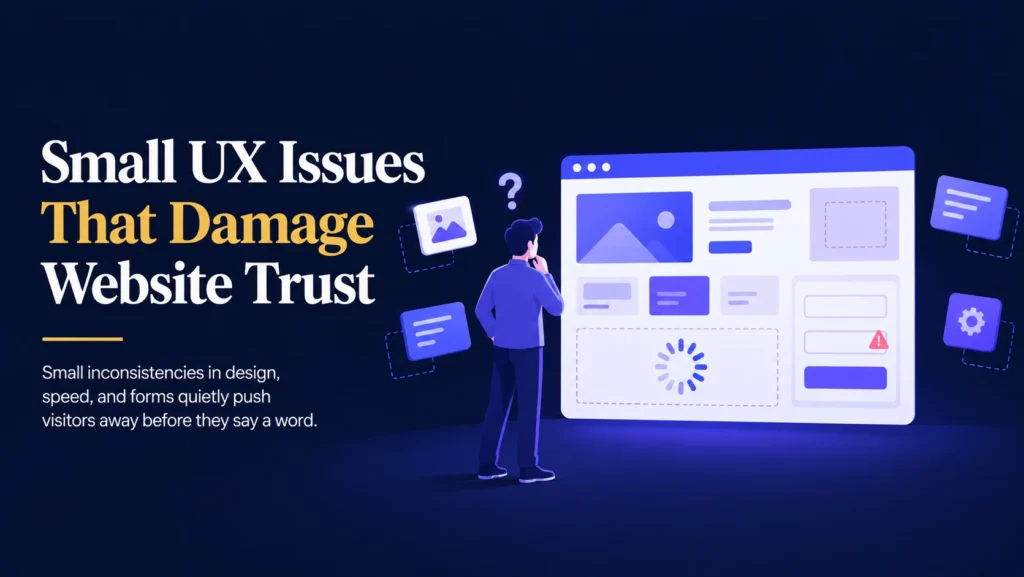
The real risk comes from a collection of small UX details that quietly signal your website cannot be trusted.
The good news is that these issues are usually simple to identify and fix once you know where to look.
Inconsistent Design Creates Doubt
Visitors form an impression of your website within seconds.
Inconsistent fonts, spacing, colors, or button styles across different pages can make a website feel unfinished or unreliable.
This inconsistency often happens gradually, especially as new pages, sections, or landing pages are added over time.
Common examples include:
- Different fonts appearing between the homepage and inner pages.
- Buttons that look and behave differently across sections.
- Spacing that feels cramped in some areas and empty in others.
- Colors that vary slightly from what your brand actually uses.
Individually, these details seem minor.
Together, they create a subtle feeling that something about the website is not quite right, even if a visitor cannot explain exactly why.
This is often the same drift that happens when theme customizations are made without a clear process, where small inconsistencies build up page by page.
Confusing Navigation Sends Visitors Away
If a visitor cannot quickly find what they are looking for, they assume the website cannot help them.
Confusing navigation is one of the fastest ways to lose a visitor’s confidence.
This can include:
- Menus with too many options and no clear structure.
- Important pages buried several clicks deep.
- Labels that are vague or unclear, like “Solutions” instead of a specific service.
- A search function that returns irrelevant or no results.
Visitors rarely take the time to figure out a confusing menu.
They simply leave and look for a competitor whose website feels easier to use.
Slow Pages Feel Unreliable
Speed is not just a technical detail.
It directly shapes how trustworthy a website feels.
A page that loads slowly, even by a second or two, can make visitors question whether the business behind it is active and reliable.
This effect is often caused by the same habits explored in why page builders can slow a website down, including heavy layouts, uncompressed images, and unnecessary add ons.
Whatever the cause, the outcome is the same.
Visitors associate a slow website with a business that may be slow to respond, slow to deliver, or simply not paying attention to detail.
Broken Forms and Unclear Errors
Few things damage trust faster than a contact form or checkout field that does not work as expected.
This includes:
- A submit button that gives no confirmation after clicking.
- Error messages that do not explain what went wrong.
- Required fields that are not clearly marked.
- Forms that quietly fail to send without any visible warning.
A visitor who submits a form and receives no confirmation is left wondering whether it worked at all.
Some will try again.
Many will simply give up and assume your website, or your business, is not dependable.
These are often the same silent failures described in why too many plugins cause WordPress issues, where a form quietly stops working after a plugin conflict and nobody notices until it is too late.
WooCommerce Websites Feel Trust Issues the Most
If you run an online store, small UX issues carry even greater weight.
Customers are being asked to enter payment details and trust your website with their money.
A confusing checkout process, an inconsistent product page, or a slow loading cart can raise doubts at the exact moment a customer is deciding whether to buy.
Imagine a customer reaching checkout, only to notice a broken layout or an unclear error message.
They hesitate.
Then they leave without completing the purchase.
For WooCommerce websites, every small UX detail plays a role in whether a customer feels safe completing their order.
Not Every Trust Issue Is Reported
A common misconception is that if visitors are not complaining, everything must be fine.
Unfortunately, that is rarely true.
Most visitors do not report a bad experience.
They simply leave.
For example:
- A visitor notices an inconsistent design and quietly loses confidence.
- A slow page causes a visitor to close the tab without a word.
- A confusing form leads someone to abandon it halfway through.
- A visitor assumes a broken button means the whole website is unreliable.
These moments rarely show up as direct feedback.
They show up as lower conversions, shorter visits, and fewer returning visitors, often without a clear explanation why.
Why Professionals Review UX Regularly
Experienced WordPress developers treat small UX details as seriously as major technical issues.
Instead of waiting for a visitor to complain, they review the website proactively.
This can include:
- Checking design consistency across every page, not just the homepage.
- Testing navigation as a new visitor would experience it.
- Reviewing page speed and identifying what is adding unnecessary weight.
- Testing every form to confirm it works and gives clear feedback.
- Reviewing the checkout process from start to finish on WooCommerce websites.
- Making sure fixes address root causes rather than surface symptoms, similar to the approach in why plugins can’t fix broken WordPress systems.
This kind of review often reveals small, fixable issues long before they cost you visitors or sales.
Backups Give You a Safety Net
Fixing small UX issues, whether that means adjusting design consistency, updating forms, or improving navigation, should always begin with a complete backup.
A backup is a copy of your website that includes:
- Pages and posts.
- Images and media files.
- The database.
- Plugin settings.
- Theme files.
If something goes wrong during a fix, you can restore your website to the way it was before the change.
Without a backup, recovering from an unexpected issue can be difficult, expensive, and time consuming, especially when changes are made directly on a live website without testing.
Backups do not prevent problems.
They give you a quick way to recover from them.
A Simple Process for Reviewing Website Trust
Improving how trustworthy your website feels does not need to be complicated.
It simply requires a consistent process.
- Create a complete backup.
- Review design consistency across all pages.
- Test your navigation as a first time visitor would.
- Check page speed and identify unnecessary weight.
- Test every form and confirm confirmation messages appear.
- Review the checkout process if you run an online store.
- Apply fixes and monitor visitor behavior afterward.
This process takes a little time, but it can noticeably improve how visitors feel about your website and your business.
Simple Ways to Build More Trust Through UX
- Keep fonts, colors, and spacing consistent across every page.
- Simplify your navigation menu and label it clearly.
- Test every form regularly to confirm it works correctly.
- Show clear confirmation messages after a form is submitted.
- Keep your pages fast and lightweight.
- Review your website from a first time visitor’s perspective at least once a year.
These small habits can make a noticeable difference in how visitors perceive and trust your website.
Final Thoughts
Trust is rarely lost through one major failure.
It is usually lost through small details that quietly add up over time.
Inconsistent design, confusing navigation, slow pages, and broken forms all send the same message.
The safest approach is simple.
Back up your website.
Review the small details, not just the big features.
Fix issues before visitors have a reason to leave.
Your website supports your marketing, your customer enquiries, and in many cases, your revenue.
Protecting how trustworthy it feels helps keep your business running smoothly.
Not Sure If Small UX Issues Are Costing You Trust?
Get a Clear, Honest Website Review
If you’re unsure whether your website feels as trustworthy as it should, I’d be happy to take a look and help you fix it.