
Introduction
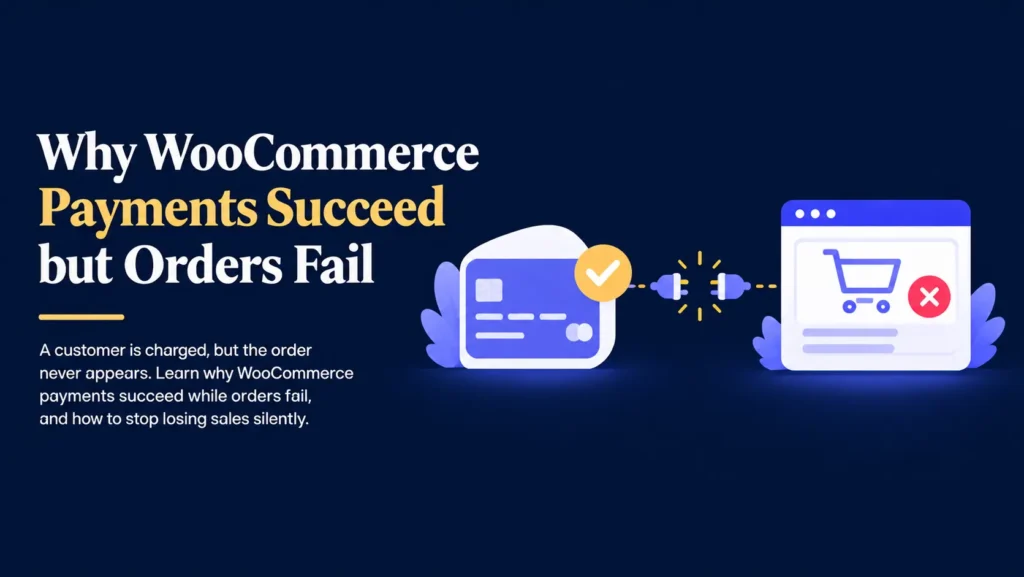
One of the most confusing problems a store owner can face is a customer who was charged, but never received an order confirmation.
Your payment gateway shows the transaction as successful.
Your WooCommerce order list shows nothing at all.
So when this happens once, it feels like an unusual glitch, easy to dismiss.
Sometimes it really is a one time issue.
Sometimes it is happening repeatedly, quietly costing you sales you never knew you lost.
Imagine a customer emailing you a week later, asking where their order is.
You check WooCommerce and find nothing under their name.
You check your payment gateway and see the charge went through perfectly.
The money is real.
The order simply never existed on your end.
The payment was never the problem.
The real risk lies in the gap between your payment gateway confirming a charge and WooCommerce actually recording it as an order.
The good news is that this gap has clear, identifiable causes, and it can be closed with the right process.
Understanding the Gap Between Payment and Order
Many store owners assume a payment and an order are the same event.
In WooCommerce, they are actually two separate steps that need to communicate successfully with each other.
Here is what typically happens during checkout:
- The customer submits their payment details.
- Your payment gateway processes the charge.
- The gateway sends a confirmation signal back to your website.
- WooCommerce receives that signal and creates the order.
If every step completes correctly, everything works as expected.
If the confirmation signal in step three never arrives, or WooCommerce fails to process it in step four, the payment succeeds while the order simply never gets created.
Broken Webhooks Are the Most Common Cause
The confirmation signal between your payment gateway and WooCommerce is called a webhook.
A webhook is a small automated message that tells your website, “this payment was successful, please create the order.”
When a webhook fails to arrive or gets rejected, WooCommerce has no way of knowing the payment happened at all.
Common reasons webhooks fail include:
- An incorrect or outdated webhook URL in your payment gateway settings.
- A security plugin or firewall blocking the incoming request.
- A server timeout during high traffic periods.
- A plugin update that changed how webhooks are handled.
Because the payment itself still succeeds, everything can look completely normal from the customer’s side, even while the order silently fails to appear.
Security Plugins Can Accidentally Block Payments
Security plugins and firewalls exist to protect your website, but they can sometimes be too aggressive.
If a security plugin treats your payment gateway’s confirmation request as suspicious traffic, it may block it without any visible warning.
This connects to a wider pattern explored in why too many plugins cause WordPress issues, where plugins from different developers do not always work well together, sometimes interfering with essential functions like order processing.
The result is a payment gateway that reports success while your store quietly loses the order behind a security rule nobody remembers setting.
Server and Hosting Issues Can Interrupt the Process
The webhook confirmation only has a short window to complete successfully.
If your hosting is slow to respond, overloaded, or experiencing a temporary issue, the confirmation can time out before WooCommerce finishes recording the order.
This is closely related to the hosting limitations discussed in why speed optimization alone doesn’t fix websites, where weak hosting affects far more than page loading speed.
During busy sales periods, when traffic and server load are both higher, this kind of failure becomes even more likely.
Why This Problem Is So Easy to Miss
A common misconception is that if most orders are coming through correctly, the checkout process must be working fine.
Unfortunately, that is not always true.
Since a failed order leaves no trace in WooCommerce, there is nothing to notice unless you are specifically looking for it.
For example:
- A customer assumes the payment failed and simply tries again elsewhere.
- A customer emails you, but the message gets buried or missed.
- Your payment gateway shows the charge, but nobody compares it to your order list.
- A handful of failed orders each month go completely unnoticed over a year.
This ties back to the theme discussed in why WooCommerce stores fail after setup, where stores that seem to be running fine can be losing sales in ways the owner never sees.
How to Actually Catch This Problem
Finding this gap requires comparing two records that most store owners never look at side by side.
The process is simple once you know to do it:
- Export your payment gateway’s transaction history for a given period.
- Export your WooCommerce order list for the same period.
- Compare the two lists to identify any successful payments without a matching order.
- Investigate each gap to understand what happened at that moment.
Doing this once can be revealing.
Doing it regularly is what actually protects your revenue going forward.
Why Professionals Test the Full Checkout Flow
Experienced WooCommerce developers do not just confirm that checkout looks correct.
They test the entire flow from payment to order confirmation, including what happens behind the scenes.
This typically includes:
- Verifying webhook URLs are correctly configured in the payment gateway.
- Reviewing security plugin logs for blocked requests.
- Testing checkout under different conditions, not just a quiet moment.
- Comparing gateway and WooCommerce records periodically.
- Making any fixes on a staging environment first, following the same caution outlined in why updating WordPress on a live website is risky.
This deeper level of testing is what catches problems a normal checkout test would never reveal.
Backups Give You a Safety Net
Investigating and fixing payment or webhook issues should always begin with a complete backup.
A backup is a copy of your website that includes:
- Pages and posts.
- Product data and order history.
- The database.
- Plugin settings.
- Theme files.
If a fix does not go as planned, you can restore your store to the way it was before the change.
Without a backup, correcting a payment configuration issue can be more difficult and time consuming than it needs to be.
Backups do not prevent problems.
They give you a quick way to recover from them.
A Clear Process for Closing the Payment to Order Gap
Solving this issue does not need to be complicated.
It simply requires a consistent process.
- Create a complete backup.
- Compare your payment gateway records against your WooCommerce orders.
- Check your webhook configuration for errors or outdated URLs.
- Review security plugin logs for blocked payment requests.
- Test checkout on a staging environment after any fix.
- Apply the correction to your live store.
- Recheck records after a short period to confirm the gap is closed.
This process takes a little time, but it directly protects revenue that might otherwise disappear without explanation.
Simple Ways to Prevent This From Happening Again
- Review your payment gateway and WooCommerce order records monthly.
- Double check webhook settings after any plugin or gateway update.
- Whitelist your payment gateway in your security plugin settings.
- Test checkout regularly, not just once after launch.
- Set up alerts for failed or incomplete transactions if your gateway supports them.
- Keep a simple record of any customer reports about payment issues.
These small habits can catch a costly, invisible problem long before it adds up.
Final Thoughts
A successful payment should always mean a successful order.
When that connection breaks, the results are easy to miss and expensive to ignore.
Broken webhooks, overly strict security settings, and hosting limitations are the most common reasons behind this gap.
The safest approach is simple.
Back up your store.
Compare your payment and order records regularly.
Test the entire checkout flow, not just how it looks.
Your store supports your sales, your customer relationships, and your revenue.
Closing this gap protects money you may already be losing without knowing it.
Worried You're Losing Orders Without Knowing It?
Find Out If Your Payments and Orders Actually Match
If you’re unsure whether every successful payment is actually becoming an order, I’d be happy to check it for you.