
Introduction
Updating WordPress is one of the most important parts of maintaining a healthy website.
Updates improve security, fix bugs, and keep your website compatible with the latest technologies.
So when you see an update notification, clicking the Update button feels like the obvious choice.
Sometimes it is.
Sometimes it is the beginning of a much bigger problem.
Imagine updating your website on a Monday morning.
Everything seems normal.
A few minutes later, your contact form stops working.
Your homepage layout changes.
Customers cannot complete purchases.
Now your website is no longer helping your business. It is creating problems.
This situation is more common than many business owners realize.
The issue is not WordPress itself.
The real risk comes from updating a live website without first checking how those changes affect the rest of your website.
The good news is that most update-related problems can be avoided with the right process.
Every WordPress Website Is Different
No two WordPress websites are exactly the same.
Every website has its own combination of plugins, themes, hosting, custom code, and third-party services.
Even if two businesses use the same theme, they may experience completely different results after an update.
For example, your website may include:
- WooCommerce
- Contact forms
- Booking software
- SEO plugins
- Security tools
- Custom functionality
Each of these components depends on the others.
If one update changes how something works, another plugin may no longer be compatible.
That does not mean WordPress is unreliable.
It simply means your website is made up of many connected systems that need to stay compatible.
Plugin Conflicts Can Break Important Features
Plugins make WordPress incredibly flexible.
They allow you to add new features without building everything from scratch.
But plugins are created by different developers.
Each developer releases updates at different times.
Sometimes one plugin changes how it works.
Another plugin is not ready for that change.
This creates what developers call a plugin conflict.
In simple terms, two plugins stop working well together.
When that happens, you may notice problems like:
- Contact forms no longer sending enquiries.
- Checkout pages failing during payment.
- Buttons that stop responding.
- Broken layouts.
- Error messages.
- Slow page loading.
The difficult part is that these problems are not always obvious.
Your homepage might still look normal.
The issue may only appear when a customer submits a form or places an order.
That is why every update should be tested before it reaches your visitors.
Theme Updates Can Affect Your Website Design
Your WordPress theme controls the appearance of your website.
Theme updates usually improve security, performance, and compatibility.
However, they can also affect customizations.
If changes were made directly inside the theme files instead of using a child theme, those changes may disappear after an update.
You might notice:
- Different fonts.
- Broken page layouts.
- Missing sections.
- Navigation problems.
- Styling that no longer matches your brand.
This can be frustrating because everything looked perfect before the update.
Following WordPress best practices helps reduce these risks and keeps your custom work protected.
WooCommerce Websites Have Even More at Stake
If you run an online store, updating your website requires even more care.
An eCommerce website is much more than a collection of pages. It manages products, payments, customer accounts, shipping, taxes, emails, and orders.
All of these systems need to work together.
Imagine a customer adding products to their cart.
They reach the checkout page.
They enter their payment details.
Then an error appears because a payment plugin is no longer compatible after an update.
The customer leaves.
You lose a sale.
More importantly, you lose trust.
For businesses that rely on WooCommerce, every update should be tested before it reaches your customers.
Not Every Problem Appears Immediately
One of the biggest misconceptions about WordPress updates is that if the update finishes successfully, everything must be working.
That is not always true.
Some issues only appear when visitors interact with specific features.
For example:
- A contact form stops sending enquiries.
- A booking confirmation email never arrives.
- A customer cannot reset their password.
- A payment gateway fails during checkout.
- An appointment cannot be booked.
These problems can remain unnoticed for days or even weeks.
During that time, your business may be missing enquiries, bookings, or sales without realizing it.
That is why testing your website after every update is just as important as installing the update itself.
Why Professionals Use a Staging Website
Professional WordPress developers rarely update a live website first.
Instead, they use a staging website.
A staging website is a private copy of your live website.
Your visitors never see it.
It allows developers to test updates safely before making changes to the real website.
Think of it as a practice environment.
If something breaks, it happens on the staging site instead of your business website.
During testing, developers can:
- Update WordPress.
- Update plugins and themes.
- Test contact forms.
- Check checkout and payment pages.
- Review the website design.
- Look for compatibility issues.
Only after everything has been tested should the updates be applied to the live website.
This simple process dramatically reduces the risk of unexpected problems.
Backups Give You a Way Back
No matter how carefully you prepare, there is always a small chance that something unexpected could happen.
That is why every update should begin with a complete website backup.
A backup is a copy of your website that includes:
- Your pages and posts.
- Images and media files.
- The database.
- Plugin settings.
- Theme files.
If an update causes a serious problem, you can restore your website to its previous working state.
Without a backup, fixing a broken website often takes much longer and may even result in lost data.
Backups are not just for emergencies.
They are part of responsible website maintenance.
Updating Everything at Once Is a Common Mistake
Many website owners click Update All because it seems like the fastest option.
Unfortunately, it also makes troubleshooting much harder.
Imagine updating WordPress, your theme, and fifteen plugins at the same time.
After the update, your website stops working.
Now you have a difficult question to answer.
Which update caused the problem?
Finding the answer can take hours.
A safer approach is to update your website in stages.
Update a few items.
Test your website.
Then continue with the remaining updates.
This makes it much easier to identify and fix any issues before they affect your visitors.
Timing Matters More Than You Think
Updating your website at the wrong time can create unnecessary problems.
If your business receives the most enquiries during the day, avoid making updates during business hours.
Instead, schedule updates when your website has fewer visitors.
If something unexpected happens, you’ll have time to fix it before it affects your customers.
A little planning can save you from a lot of stress.
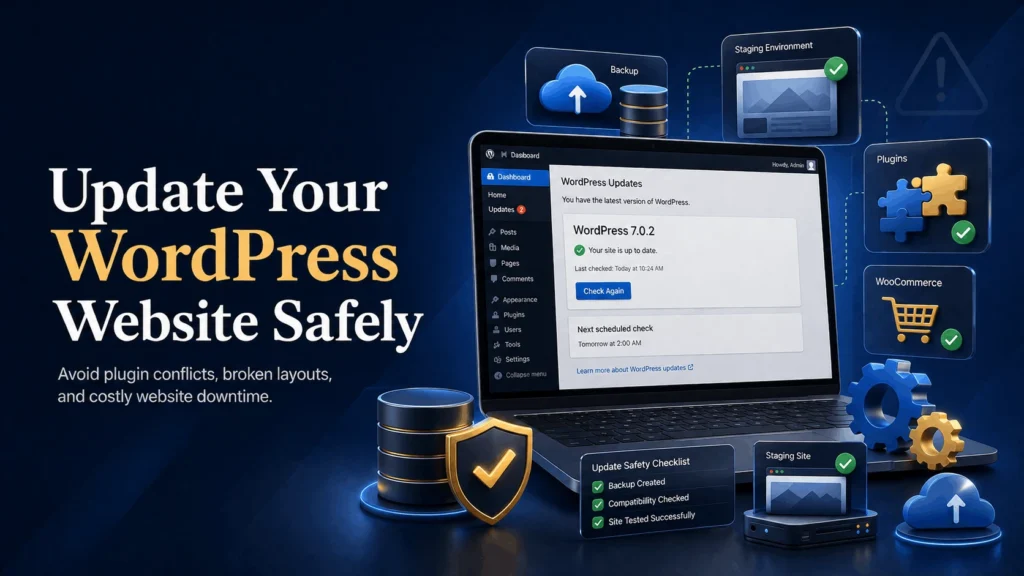
A Safe WordPress Update Process
Professional developers follow a simple process to reduce the risk of problems.
- Create a full website backup.
- Copy the website to a staging environment.
- Update WordPress, plugins, and themes.
- Test important pages and features.
- Fix any issues before going live.
- Update the live website.
- Perform one final check.
This process takes a little longer, but it protects your website, your customers, and your business.
Simple Ways to Update Your Website Safely
- Always create a backup before updating.
- Use a staging website whenever possible.
- Avoid updating everything at once.
- Test your contact forms after every update.
- Check your checkout page if you run an online store.
- Keep plugins and themes updated regularly instead of waiting several months.
- Remove plugins you no longer use.
Small maintenance tasks today can prevent much bigger problems tomorrow.
Final Thoughts
Updating WordPress is important.
Ignoring updates can leave your website vulnerable to security issues and compatibility problems.
At the same time, updating a live website without testing can interrupt your business when you least expect it.
The safest approach is simple.
Back up your website.
Test updates first.
Then update your live website with confidence.
Your website is one of your most valuable business assets.
Taking a few extra minutes before an update can save hours of troubleshooting later.
Still Unsure About Updating Your WordPress Website?
Update Your Website with Confidence
A small update should not put your business at risk. If you’re unsure about updating your WordPress website or want a professional to handle it safely, I’m here to help.