
Introduction
Growing traffic is usually something to celebrate.
A successful marketing campaign, a viral social media post, or a busy sales period all bring more visitors to your website.
So when traffic starts climbing, it feels like a clear sign that things are going well.
Sometimes the website handles it without any trouble.
Sometimes that same growth becomes the moment everything starts to break.
Imagine a marketing campaign performing better than expected.
Visitors start arriving faster than usual.
Your website begins loading slower.
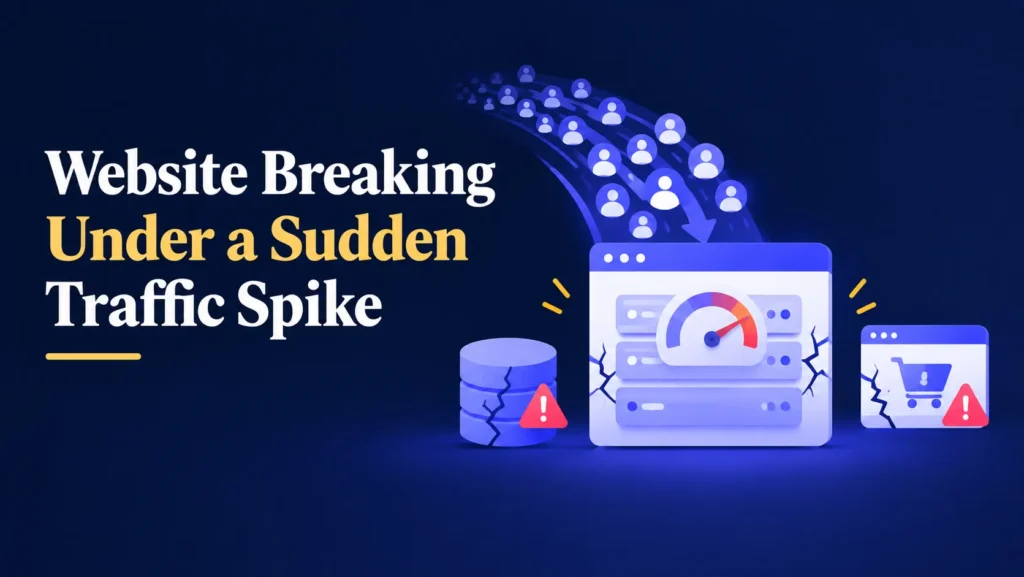
Then pages start timing out, and some visitors see an error instead of your homepage.
The exact moment you needed your website to perform, it let you down instead.
The traffic itself was never the problem.
The real risk comes from weaknesses that were always there, simply waiting for enough pressure to expose them.
The good news is that most of these weaknesses can be identified and strengthened before they ever cause a failure.
Hosting Is Usually the First to Struggle
Every hosting plan has a limit on how much traffic, memory, and processing power it can handle at once.
When traffic stays within that limit, your website runs smoothly.
When traffic exceeds it, problems begin to appear quickly.
Signs that hosting is struggling under traffic include:
- Pages taking significantly longer to load.
- Visitors seeing server error messages.
- The website becoming completely unresponsive during peak moments.
- Performance returning to normal as soon as traffic drops.
This connects directly to the limitations described in why speed optimization alone doesn’t fix websites, where hosting sets a ceiling that no plugin or optimization tool can fully overcome.
Your Database Feels the Pressure Next
Every page load, search, and form submission usually involves a request to your website’s database.
Under normal traffic, this happens quickly and quietly in the background.
Under heavy traffic, a database that is already bloated or poorly optimized can slow down every single request at once.
This often leads to:
- Pages loading slower across the entire website, not just one section.
- Search and filtering features becoming unresponsive.
- Admin dashboards becoming difficult to use during the spike.
- Errors appearing on pages that rely on real time data.
A database that already carries years of unnecessary data has far less room to absorb a sudden increase in demand.
Heavy Plugins and Page Builders Add Their Own Strain
Every plugin and page builder element on your website adds a small amount of extra processing to each page.
At normal traffic levels, this extra load is barely noticeable.
At high traffic, that same small cost is multiplied across thousands of visitors at once.
This mirrors the concerns raised in why too many plugins cause WordPress issues and why page builders can slow down a website, where individual inefficiencies that seem minor on their own become significant once traffic increases.
A website already carrying unnecessary weight has far less room to handle a sudden surge in visitors.
WooCommerce Stores Feel Traffic Spikes the Most
If you run an online store, a traffic spike carries even greater risk than it does for a standard website.
WooCommerce constantly checks stock levels, calculates cart totals, and processes checkout requests, all of which place extra demand on your server and database.
This connects closely to the pattern described in why WooCommerce stores fail after setup, where a store that runs smoothly under normal conditions can struggle significantly once demand increases.
Imagine a sale driving a sudden wave of visitors to your store.
Checkout slows down, some customers see errors, and a few payments even succeed without the order being recorded properly, an issue explored further in why WooCommerce payments succeed but orders fail.
During your busiest and most valuable moments, this is exactly when a fragile system is most likely to fail.
Design and Media Files Can Multiply the Problem
Large, uncompressed images and heavy design elements do not just slow down individual visitors.
They multiply the total amount of data your server has to deliver as traffic increases.
A single large image adds a small delay for one visitor.
The same image delivered to thousands of visitors during a spike can significantly increase the load on your server all at once.
Reviewing and optimizing media files before a period of expected growth is one of the simplest ways to reduce this risk.
Why Most Weaknesses Stay Invisible Until Traffic Rises
A common misconception is that if a website runs well under normal conditions, it will continue running well no matter how much traffic arrives.
Unfortunately, that is not always true.
Many weaknesses only reveal themselves under pressure.
For example:
- A hosting plan that is fine for daily traffic but not for a campaign launch.
- A database that loads quickly at low volume but slows dramatically at scale.
- A plugin conflict that only appears when multiple visitors trigger it simultaneously.
- A checkout process that works fine one at a time but struggles under concurrent orders.
These weaknesses can sit unnoticed for months or years, simply because the right conditions to expose them never occurred until now.
Why Professionals Prepare Before Growth Happens
Experienced WordPress and WooCommerce developers do not wait for a traffic spike to find out what will break.
Instead, they prepare in advance.
This typically includes:
- Reviewing hosting capacity against expected traffic increases.
- Cleaning and optimizing the database before high demand periods.
- Auditing plugins and removing anything unnecessary.
- Compressing and optimizing media files across the website.
- Load testing the website to simulate higher traffic conditions.
- Testing any changes on a staging environment first, following the same caution outlined in why updating WordPress on a live website is risky.
This preparation is what allows a website to grow smoothly instead of breaking at the exact moment it matters most.
Backups Give You a Safety Net
Preparing for traffic growth, whether through hosting changes, database cleanup, or plugin adjustments, should always begin with a complete backup.
A backup is a copy of your website that includes:
- Pages and posts.
- Product data and order history.
- The database.
- Plugin settings.
- Theme files.
If something goes wrong while making changes, you can restore your website to the way it was before.
Without a backup, recovering from an issue during a critical growth period can be far more stressful than it needs to be.
Backups do not prevent problems.
They give you a quick way to recover from them.
A Simple Process for Preparing Your Website for Growth
Preparing your website for higher traffic does not need to be complicated.
It simply requires a consistent process.
- Create a complete backup.
- Review your hosting plan against expected traffic increases.
- Clean and optimize your database.
- Audit plugins and remove anything unnecessary.
- Compress images and optimize heavy design elements.
- Test changes on a staging environment before applying them live.
- Load test your website if a major traffic event is expected.
This process takes some planning, but it is far less costly than dealing with downtime during your most important moments.
Simple Ways to Get Ahead of Traffic Growth
- Review your hosting plan before running a major campaign or sale.
- Clean your database on a regular schedule, not just when problems appear.
- Keep your plugin list lean and well maintained.
- Compress images and media files across your website.
- Test your checkout process under simulated demand if you run a store.
- Monitor performance closely during any period of expected growth.
These small habits can be the difference between a website that grows smoothly and one that fails at the worst possible time.
Final Thoughts
Growing traffic should be a moment of opportunity, not a moment of risk.
What breaks first is rarely random.
It is usually the weakest point in a system that was already under strain long before the spike arrived.
The safest approach is simple.
Back up your website.
Strengthen your hosting, database, and plugins before growth happens.
Test your website’s limits before real visitors do.
Your website supports your marketing, your customer enquiries, and in many cases, your revenue.
Preparing for growth in advance helps make sure it works in your favor.
Worried Your Website Isn't Ready for a Traffic Spike?
Prepare Your Website Before Growth Website Before Growth Puts It to the Test
If you have a campaign, launch, or sale coming up and want to make sure your website can handle it, I’d be happy to help.