
Introduction
When a new WordPress website goes live, everything usually feels fast.
Pages load quickly.
The dashboard responds instantly.
Visitors enjoy a smooth experience.
Then, over time, things begin to change.
The website feels slower.
Pages take longer to load.
The admin area becomes frustrating to use.
Updates start causing unexpected problems.
Many business owners believe WordPress is the reason.
In reality, WordPress is usually not the problem.
Most websites slow down because small maintenance tasks are ignored for too long.
Just like a car needs regular servicing, your website needs ongoing care to keep performing at its best.
The good news is that most performance problems are preventable.
Let’s look at the most common reasons WordPress websites become slow and unstable over time.
Too Many Plugins
One of the biggest strengths of WordPress is its flexibility.
Need a contact form?
Install a plugin.
Need SEO tools?
Install another plugin.
Need security, backups, analytics, popups, or social sharing?
There is probably a plugin for each of them.
Over time, websites often collect plugins that are no longer needed.
Every plugin adds extra code.
Some load additional JavaScript.
Others create more database queries.
Some run background tasks every few minutes.
None of these may seem like a problem on their own.
But together, they slowly reduce your website’s performance.
This does not mean you should avoid plugins.
It simply means you should only keep the ones that genuinely add value.
If you no longer use a plugin, remove it completely instead of leaving it inactive.
Outdated Plugins and Themes
WordPress is constantly evolving.
Developers regularly release updates to improve security, fix bugs, and support newer versions of WordPress.
Ignoring these updates for months can create several problems.
Your website may become slower.
Some features may stop working.
Compatibility issues may begin to appear.
Security risks also increase.
Many websites do not suddenly become unstable.
They slowly drift into that condition because updates keep getting postponed.
Keeping WordPress, plugins, and themes updated is one of the simplest ways to maintain a healthy website.
Poor Hosting
Your hosting provider plays a much bigger role than many people realize.
Think of hosting as the foundation of your website.
If the foundation is weak, no amount of optimization can fully solve the problem.
Common signs of poor hosting include:
- Slow page loading.
- A sluggish WordPress dashboard.
- Random downtime.
- Inconsistent performance throughout the day.
- Slow response even after optimization.
Sometimes the biggest improvement comes from upgrading your hosting instead of installing another performance plugin.
A Database Filled With Unnecessary Data
Your WordPress database stores almost everything.
Posts.
Pages.
Settings.
Comments.
Plugin data.
Order information.
Over time, it also collects information you no longer need.
This can include old revisions, spam comments, expired temporary data, and leftover information from plugins you have already removed.
As the database grows, WordPress has more work to do every time someone visits your website.
Regular database cleanup helps improve efficiency and keeps your website running smoothly.
Large Images Slow Everything Down
Images are often the largest files on a website.
Uploading high-resolution photos directly from a phone or camera can significantly increase page size.
Every visitor has to download those files before the page finishes loading.
The result is slower performance, especially on mobile devices.
Before uploading images, resize and compress them.
Modern image formats like WebP can also reduce file size while maintaining quality.
Small improvements to your images can make a noticeable difference to your website speed.
No Performance Strategy
Many business owners believe website speed comes from installing a single caching plugin.
It doesn’t.
A fast website is the result of many small improvements working together.
Good hosting.
Optimized images.
Clean code.
A well-maintained database.
Reliable plugins.
Browser caching.
Regular updates.
Each one makes a small difference.
Together, they create a website that feels fast, responsive, and reliable.
There is no magic plugin that fixes every performance problem.
The best results come from following a consistent maintenance process.
No Regular Maintenance
This is one of the biggest reasons WordPress websites become slow over time.
Many businesses launch a website and assume the work is finished.
Unfortunately, websites need ongoing care.
WordPress continues to evolve.
Plugins receive updates.
Themes improve compatibility.
Security threats change.
Without regular maintenance, small issues begin to build up.
What starts as a slightly slower website can eventually lead to broken features, security risks, or expensive repairs.
Think of your website like a car.
Regular servicing keeps everything running smoothly.
Ignoring maintenance usually costs more in the long run.
Signs Your Website Needs Attention
Your website may need maintenance if you’ve noticed any of the following:
- Pages take longer to load than they used to.
- The WordPress dashboard feels slow.
- Forms stop sending enquiries.
- Updates frequently fail.
- You see security warnings.
- Plugins have not been updated for several months.
- Your website performs poorly on mobile devices.
These problems rarely appear overnight.
They usually develop gradually.
The sooner you identify them, the easier they are to fix.
How to Keep Your WordPress Website Healthy
Looking after your website doesn’t have to be complicated.
Simple habits can prevent most performance problems.
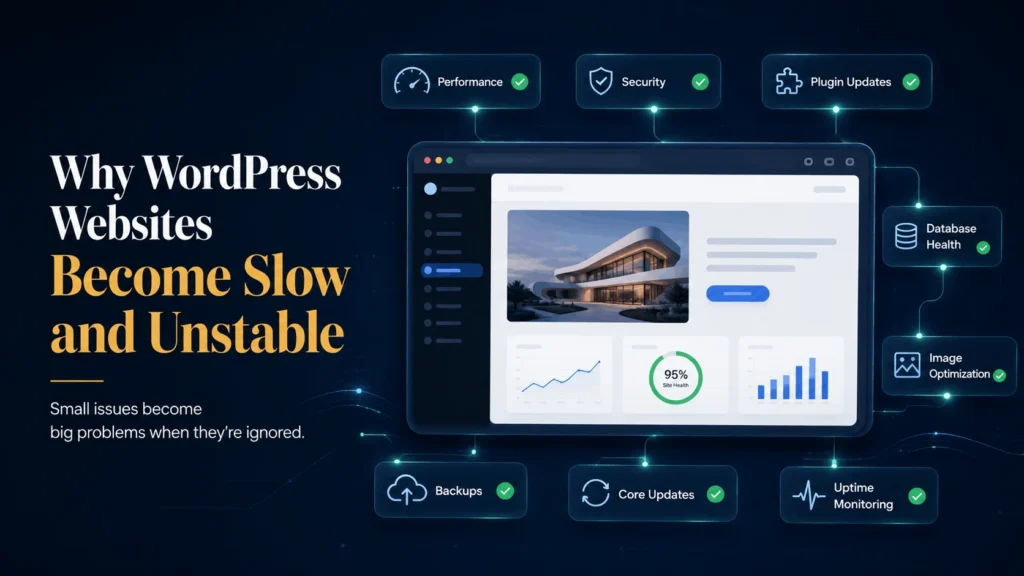
- Keep WordPress updated.
- Update plugins and themes regularly.
- Remove plugins you no longer use.
- Optimize images before uploading them.
- Create regular backups.
- Monitor website performance.
- Review security settings regularly.
- Test your forms and checkout process after updates.
These tasks take far less time than recovering from a slow or broken website.
Final Thoughts
WordPress doesn’t become slow simply because it gets older.
Most websites slow down because small problems are ignored for too long.
The good news is that these problems are usually preventable.
Regular maintenance keeps your website fast, secure, and reliable.
It also creates a better experience for your visitors and gives your business a stronger online presence.
Your website is one of your most valuable business assets.
Looking after it today can save you time, money, and frustration tomorrow.
Is Your Website Slower Than It Used to Be?
Let's Find Out Why
A slow website can cost you visitors and potential customers. I’ll help you identify what’s slowing it down and recommend the right solution.