
Introduction
Plugins are one of the best things about WordPress.
They let you add a contact form, build an online store, improve your SEO, or create a booking system in minutes.
So when you need a new feature, installing another plugin feels like the easy answer.
Sometimes it is.
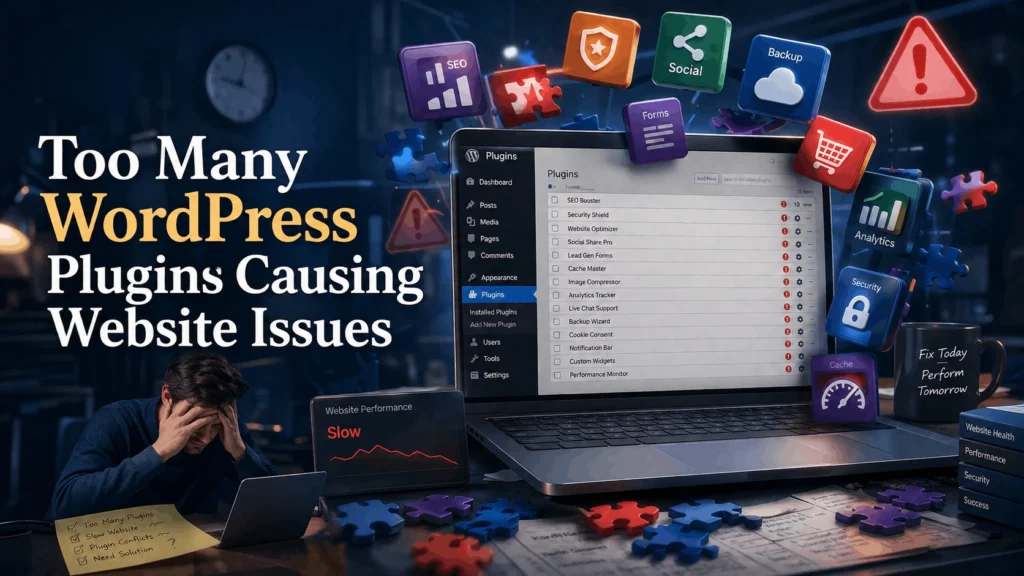
Sometimes it slows your website down or breaks something else entirely.
Imagine your website loading a little slower each month.
Then a plugin update causes your homepage to display incorrectly.
Then two plugins start conflicting with each other.
Customers start leaving before your website even finishes loading.
Now your website is working against you instead of for you.
The problem is not plugins themselves.
The real risk comes from installing too many plugins without reviewing what your website actually needs.
The good news is that this risk is easy to manage once you understand why it happens.
Every Plugin Adds Weight to Your Website
Every plugin you install adds extra code, files, and database calls.
Your website has to load and run all of it, even the parts you rarely use.
A single plugin might not cause a noticeable slowdown.
Twenty or thirty plugins running together are a different story.
For example, your website may be running plugins for:
- Contact forms
- SEO
- Page builders
- Security
- Backups
- Social sharing
- Analytics
- Popups
Each one loads its own scripts, styles, and settings.
Together, they can slow down every page on your website.
That does not mean plugins are bad.
It simply means every plugin has a cost, even when it is doing its job well.
Plugin Conflicts Can Break Important Features
Plugins are built by different developers, often with no knowledge of each other.
When two plugins try to control the same part of your website, they can clash.
This is known as a plugin conflict.
A plugin conflict can cause problems such as:
- Contact forms that stop sending enquiries.
- Checkout pages that fail.
- Broken layouts.
- Buttons that no longer respond.
- Error messages.
- A blank white screen instead of your website.
The more plugins you have running, the more likely two of them are to interfere with each other.
Many of these issues are not obvious right away.
Your homepage may still look fine.
The problem often only appears when a visitor tries to use a specific feature.
Unused Plugins Are a Hidden Security Risk
Many websites keep plugins active long after they stop using them.
A plugin installed for a one time project, an old promotion, or a feature you no longer offer often stays behind.
Every one of those plugins still needs to be updated and maintained.
If it is not, it becomes an easy target for attackers.
Outdated or abandoned plugins can lead to:
- Malware infections.
- Unauthorized access to your website.
- Spam content appearing on your pages.
- Your website being blacklisted by search engines.
- Complete website downtime.
Removing plugins you no longer need is one of the simplest ways to reduce your website’s security risk.
WooCommerce Websites Feel the Impact Even More
If you run an online store, plugin overload carries even greater risk.
WooCommerce already manages products, payments, shipping, and customer accounts.
Adding too many extra plugins on top of that can slow your checkout process, delay page loading, and increase the chance of a conflict at the worst possible moment.
Imagine a customer reaching checkout while a plugin conflict quietly breaks the payment gateway.
The customer leaves without completing the purchase.
You lose a sale.
You may also lose that customer permanently.
For WooCommerce websites, every plugin should earn its place.
Not Every Problem Appears Immediately
One of the biggest misconceptions about plugins is that if your website looks fine, everything must be working.
Unfortunately, that is not always true.
Some issues remain hidden until a visitor uses a specific feature.
For example:
- A contact form silently stops sending enquiries.
- A booking confirmation email never arrives.
- A customer cannot reset their password.
- A payment gateway fails during checkout.
- Your page speed quietly drops over several months.
These problems can go unnoticed for weeks.
Meanwhile, your business could be missing leads, bookings, or sales without realizing it.
That is why plugins deserve the same regular attention as the rest of your website.
Why Professionals Review Plugins Regularly
Professional WordPress developers rarely let a plugin list grow without oversight.
Instead, they carry out a plugin audit on a regular basis.
A plugin audit is a review of every plugin installed on your website.
It gives you a clear picture of what each plugin actually does, whether you still need it, and whether it is being kept up to date.
During a plugin audit, developers can:
- List every active and inactive plugin.
- Identify which plugins overlap in function.
- Remove plugins that are no longer needed.
- Replace heavy plugins with lighter alternatives.
- Test your website’s speed before and after changes.
- Confirm important features still work correctly.
Once the audit is complete, your website usually runs faster, more securely, and with fewer chances of conflict.
Backups Give You a Safety Net
Even with careful planning, removing or replacing a plugin can sometimes affect your website in unexpected ways.
That is why every plugin change should begin with a complete backup.
A backup is a copy of your website that includes:
- Pages and posts.
- Images and media files.
- The database.
- Plugin settings.
- Theme files.
If something goes wrong, you can restore your website to the way it was before the change.
Without a backup, recovering from a plugin related issue can be difficult, expensive, and time consuming.
Backups do not prevent problems.
They give you a quick way to recover from them.
A Safe Plugin Review Process
Reviewing your plugins does not need to be complicated.
It simply requires a consistent process.
- Create a complete backup.
- List every plugin currently installed.
- Identify plugins you no longer use.
- Check for plugins that duplicate the same feature.
- Test your website on a staging environment after changes.
- Confirm your important pages and features still work.
- Apply the changes to your live website.
This process takes a little time, but it dramatically reduces the risk of slow pages, conflicts, and security gaps.
Simple Ways to Reduce Plugin Related Risks
- Only install plugins you genuinely need.
- Remove plugins you no longer use.
- Avoid installing multiple plugins for the same task.
- Choose plugins that are actively maintained and updated.
- Keep every active plugin updated regularly.
- Review your plugin list at least twice a year.
- Test your website’s speed after adding new plugins.
These small habits can save hours of troubleshooting later.
Not Sure If Your Plugins Are Slowing You Down?
Get a Clear, Healthy Plugin Setup
If you’re unsure how many plugins your website really needs or want someone to review them safely, I’d be happy to help.
Final Thoughts
Plugins make WordPress powerful and flexible.
Ignoring your plugin list can slow your website down and expose it to security risks.
Installing plugins without a plan can create a different set of problems.
The safest approach is simple.
Back up your website.
Review your plugins regularly.
Keep only what your business truly needs.
Your website supports your marketing, your customer enquiries, and in many cases, your revenue.
Giving your plugins the attention they deserve helps keep your business running smoothly.